Is AI Bad for Wedding Photography?
As a photographer, you’ve probably had at least one moment recently where you looked at an AI tool and thought, “Okay, should I be worried about this?” Or maybe you’re on the other side of it, where you do not want to touch AI at all because you feel like it might take away from the authenticity of your work.
I get that too. AI is everywhere right now. Editing tools, culling tools, search tools, writing tools, everything. And when you work in a creative industry, it is easy to wonder if all of this is slowly going to replace the human side of the job.
Personally, I do not think AI is going to replace photographers. But I do think we need to have a better conversation about how it is being used, where it actually helps, and where photographers still need to draw the line.
Not All AI in Photography Is the Same
I think this is where the AI conversation needs to be clearer. When couples hear “AI,” they might think a photographer is changing their faces, creating fake moments, or turning the wedding into something it was not. Honestly, it’s a valid concern.
But there is a big difference between using AI to help with the work you were already going to do and using AI to create something that was never there. Using AI to help sort photos, make a first pass on edits, clean up a small distraction, or find images faster in a gallery? That feels like a tool.
The way I look at it, AI should not be the thing replacing your eye, your judgement, or your relationship with the people you photograph. But it can be useful for the parts of the job that slow you down. And that is the kind of AI I think is worth talking about first.
4 Photography AI Tools That Save You Time
1. Imagen AI
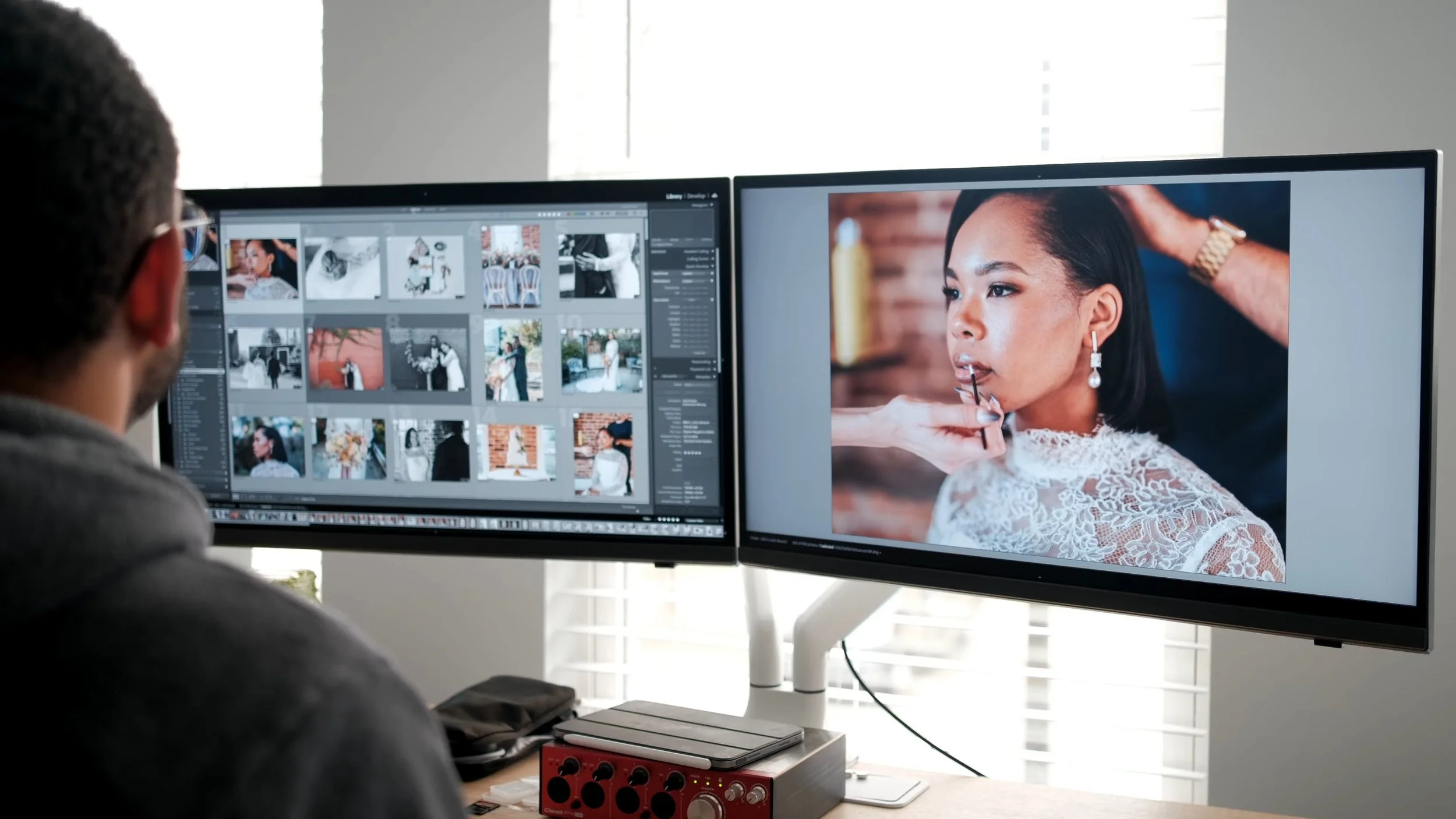
Now after a wedding day, you are usually not dealing with 50 photos. You are dealing with hundreds, sometimes thousands, and every image still has to be sorted, edited, checked, and delivered. You already did the wedding day, but now there is a whole second part of the job waiting for you at your desk which is extremely time consuming.
How I Integrate It In My Workflow
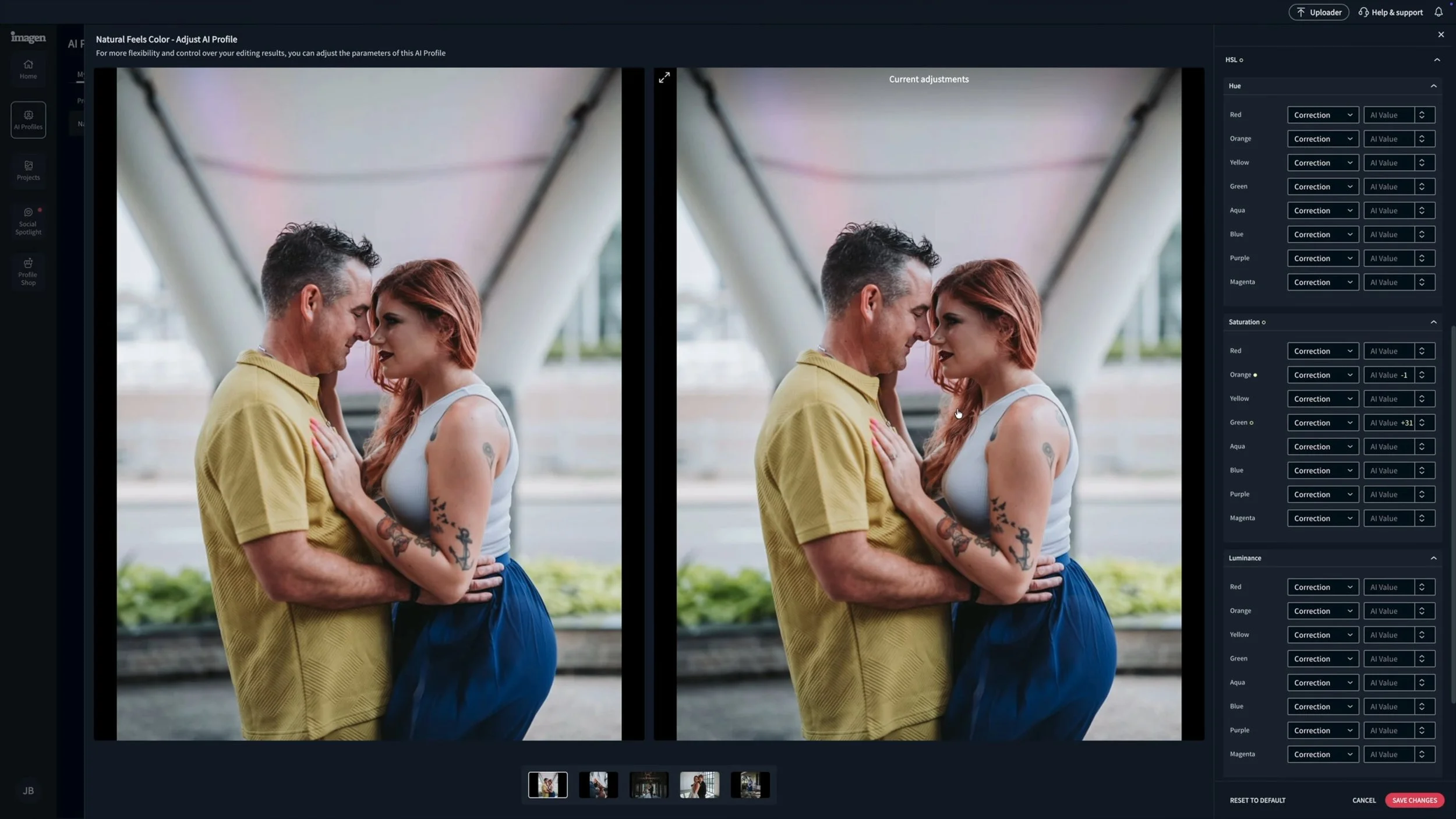
Personally, I do not really use AI tools for culling. I know other photographers do, and I can see how that would save a lot of time. Where I do use Imagen AI is for the first pass of edits. I’ve created a profile and trained it with thousands of my own photos, so it understands the direction of my editing style and my Natural Feels Preset. That saves me a lot of time and energy because it gets the gallery moving in the right direction before I go in and fine-tune everything myself.
Why I Still Review Everything
Of course, I am not just handing everything over to AI and calling it done. A huge part of my time is still spent going through every edit and every photo to make sure the gallery feels right, consistent, and true to how I want the final images to look. But with a tool like Imagen AI helping with that first pass, I get more time to focus on the creative side instead of spending hours repeating the same tedious edits over and over again.
2. Lightroom AI Tools
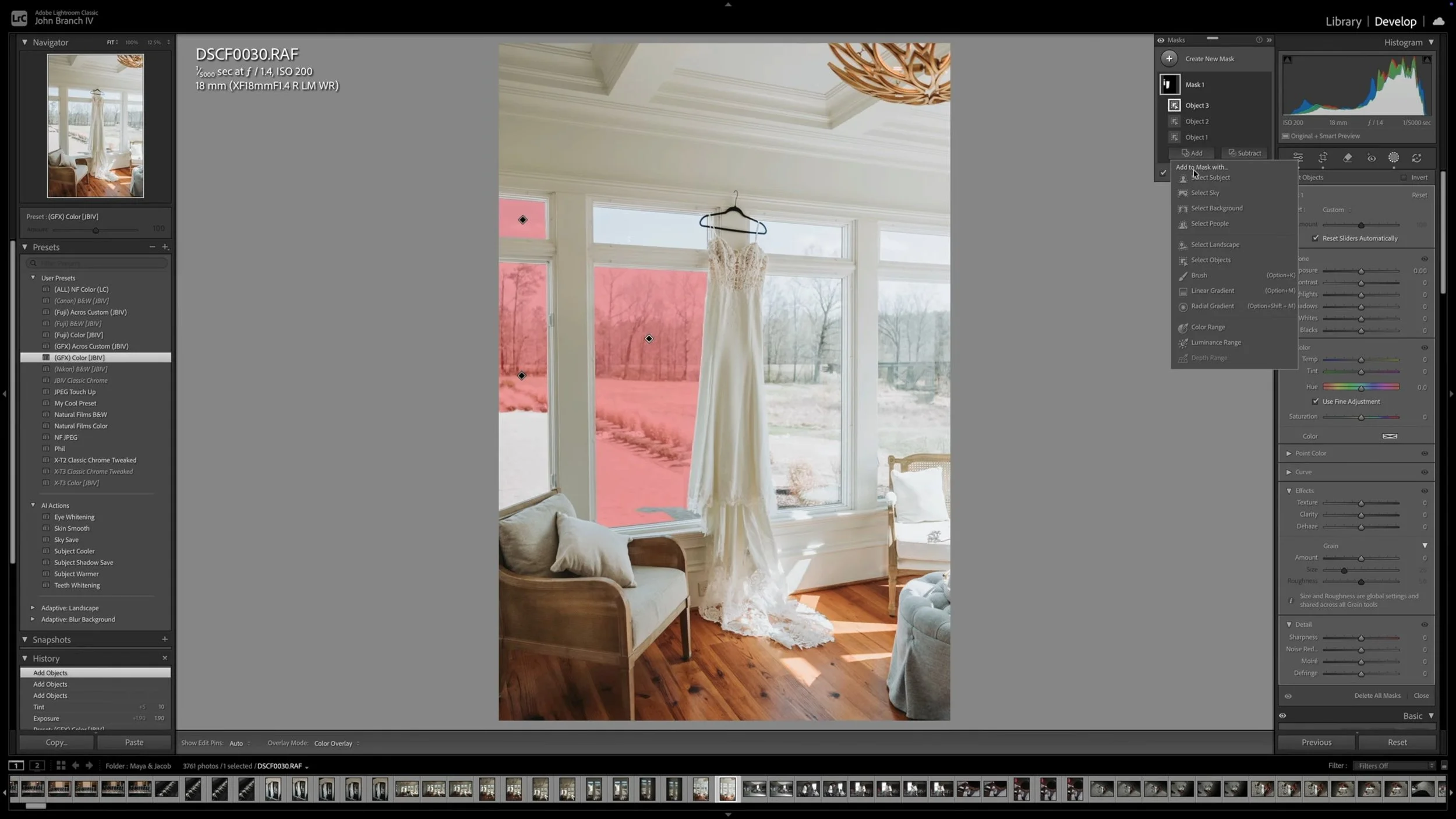
Lightroom is already where a lot of photographers spend most of their editing time, so the AI tools inside it can be really helpful for everyday gallery work. And usually, it is not about doing some huge dramatic edit. It is the smaller things that start to add up when you are working through a full gallery.
How I Use Them In My Workflow
Tools like AI masking, Denoise, and Generative Remove can help speed up the parts of editing that normally take extra time.
Maybe I need to brighten a subject, clean up noise from a dark reception photo, make a quick mask, or remove something distracting near the edge of the frame. These are edits I could do manually, but when you are doing them across a full gallery, having tools that make the process faster really helps.
Confidence Without Getting Lazy
It can also give you a little more confidence while shooting. Not because you should ignore your background or fix everything later, but because wedding days are not perfect. Sometimes there is a distraction you cannot move, and knowing you have tools to clean up small things in post can help you focus on getting the moment first.
3. Pic Time AI Tools
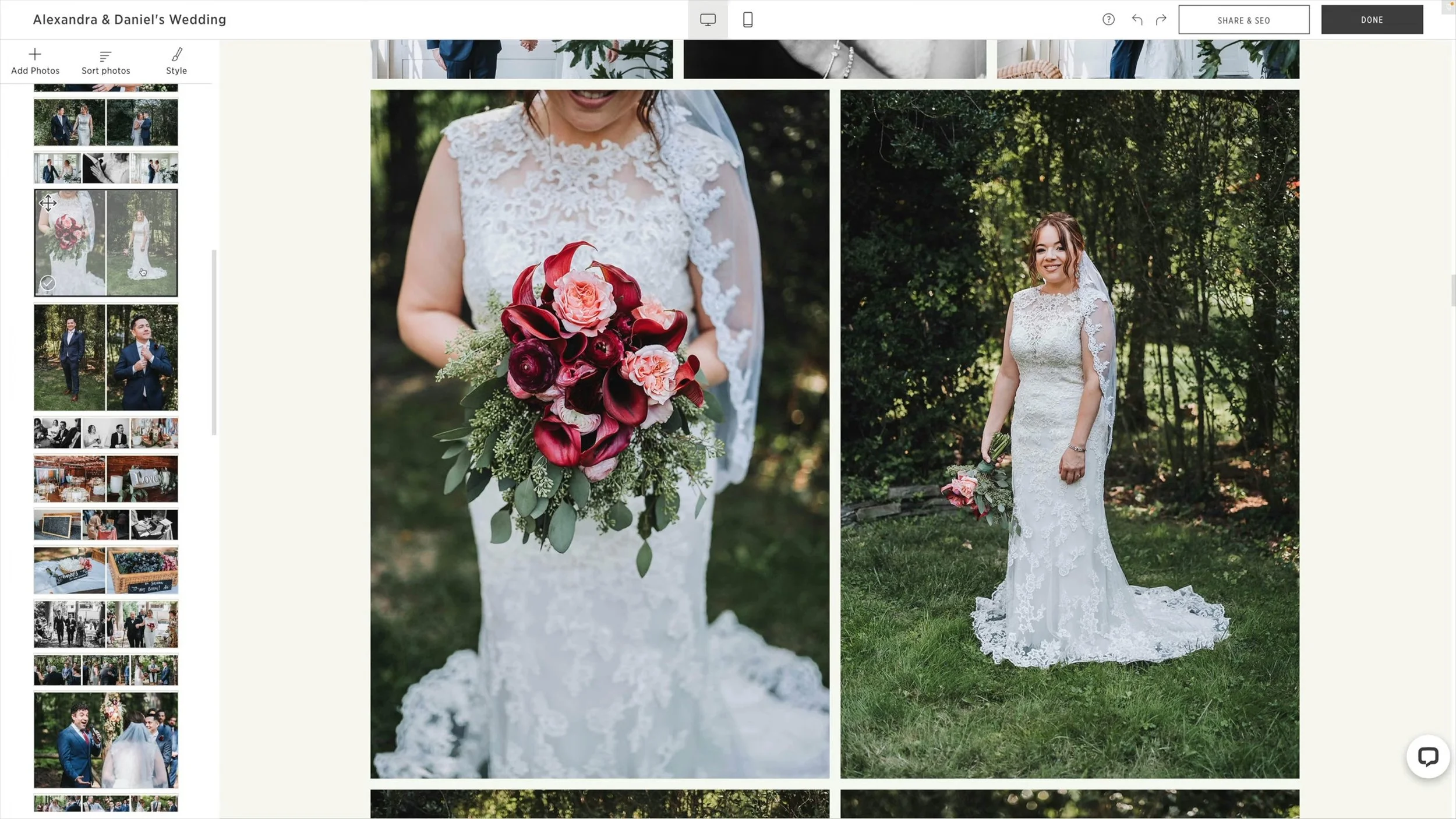
AI can also be helpful after the gallery has already been delivered, which is something photographers do not always think about.
Pic-Time has a few AI tools that can make the client gallery experience and post-wedding workflow a lot smoother. Things like AI Photo Search, Selfie Search, AI Album Designer, AI Image Filter, and even writing tools can help you find images faster, organize galleries better, and reuse your work more easily after delivery.
How I Use It in My Workflow
One of the biggest time-savers is being able to search through a gallery without manually scrolling through hundreds of images. You can search for things like “first dance,” “wedding cake,” “flowers,” “bridesmaids,” or “ceremony.” Clients and guests can also find photos of themselves faster through selfie or face search, which makes the gallery easier for them to use too.
Beyond that, Pic-Time’s AI tools can help with album drafts, gallery layouts, image filtering, blog ideas, vendor galleries, social media selections, and portfolio updates. It is not doing the creative work for you, but it does make it easier to get back into a gallery and actually use the photos you already delivered.
Why I Still Make the Final Call
Even with all of those features, Pic-Time is still there to support the gallery experience, not replace the photographer. It can help with searching, organizing, album drafts, layouts, and even written content, but I still need to decide what fits the story, what works for the couple, what should go to vendors, and what feels right for my brand. AI can make the process smoother, but the final direction still has to come from the photographer.
Be Clear About How You Use AI
I think one of the biggest problems with the AI conversation is that people hear the word “AI” and assume the worst.
That is why I think photographers need to be clear about how they are actually using it. If AI is helping with a first pass of edits, noise reduction, small cleanup, gallery search, or workflow tasks, say that. Explain that it is not being used to create fake moments, change people’s faces, or turn the wedding into something it was not. That kind of clarity matters. It helps couples understand the difference between using AI as a tool and using AI in a way that feels misleading.
Final Thoughts on Using AI Tools in Wedding Photography
AI is not going anywhere, so I do not think the answer is to ignore it completely or panic every time a new tool shows up. The better question is how we use it. If it helps you work faster, clean up small distractions, search galleries, or spend more time on the parts of the job that actually need you, I think that can be a good thing. But the story, the taste, the care, and the responsibility should still come from the photographer.
That is the same idea behind my Natural Feels Preset and AI tools. They are made to help you build a faster, more consistent editing workflow without taking your eye out of the process.